

Alan AI assistant
Ask questions about your files, summarise documents, folders and emails, and let AI suggest tags to keep everything organised.
vBoxxCloud brings cloud storage, file sharing, e-signatures, team chat and video meetings together in one European workspace, hosted in the Netherlands and Germany.
Your files on every device, with version history, file recovery and a free migration service.
Secure storage for your company files, encrypted with AES-256 and hosted in the Netherlands and Germany.
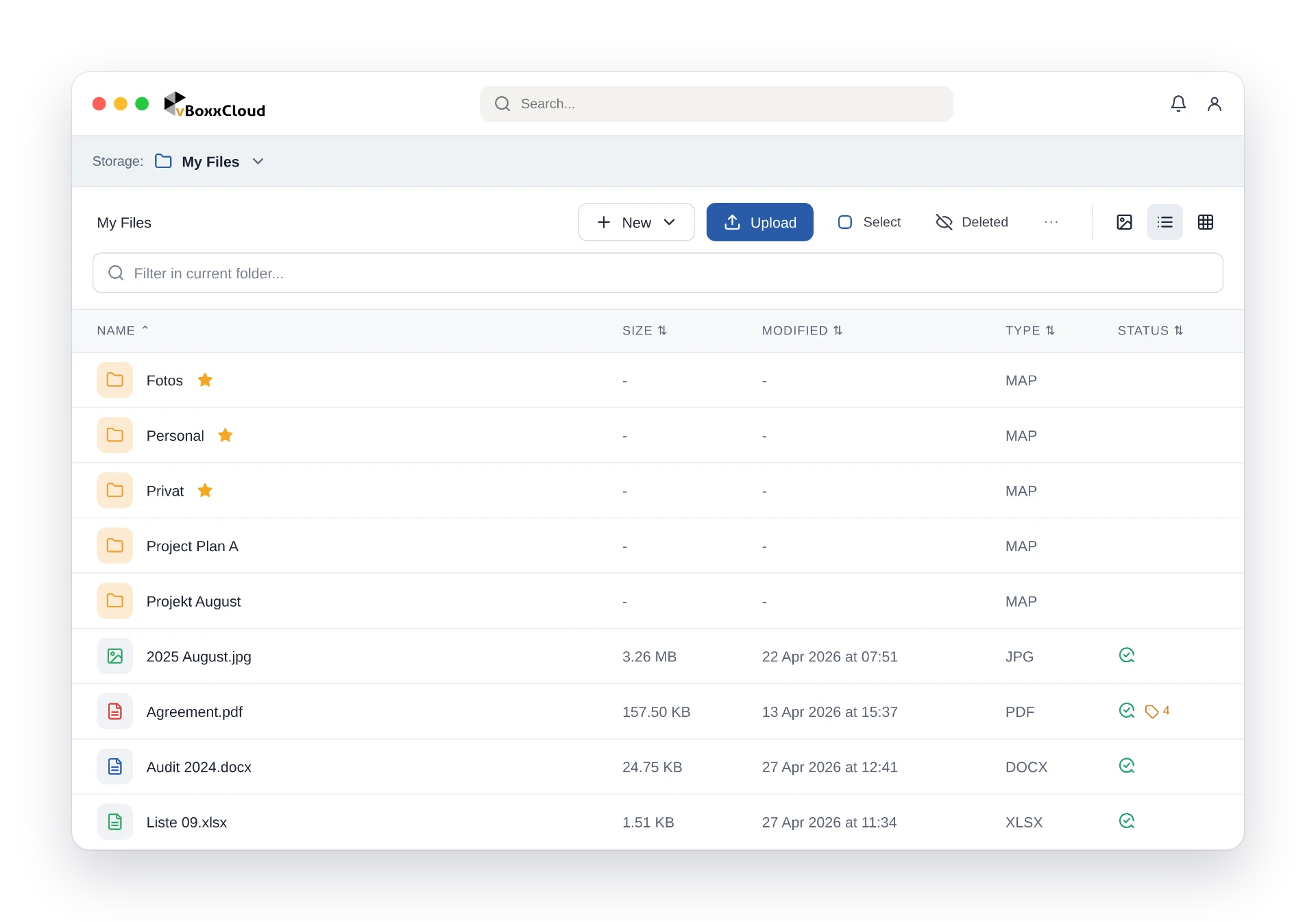
vBoxx Sync for Windows and macOS, apps for iOS and Android, and the web interface.
Restore earlier versions of a file and recover deleted files.
Moving from another cloud? Our free migration service helps you transfer your files.
Share, sign, chat and meet in the same secure environment as your files.
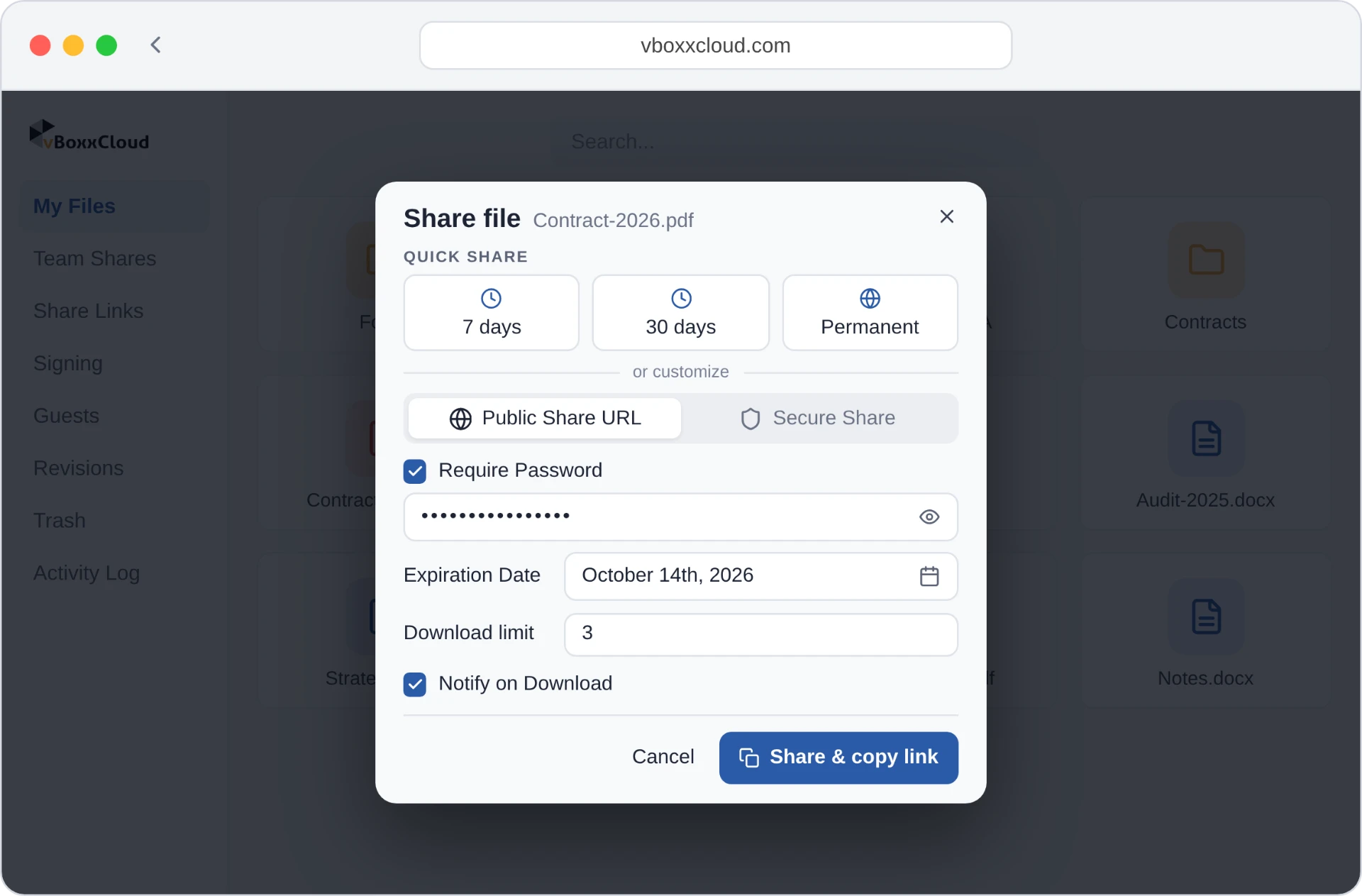
Password protection, expiry dates and download limits. Remove access whenever you need to.
Explore secure sharing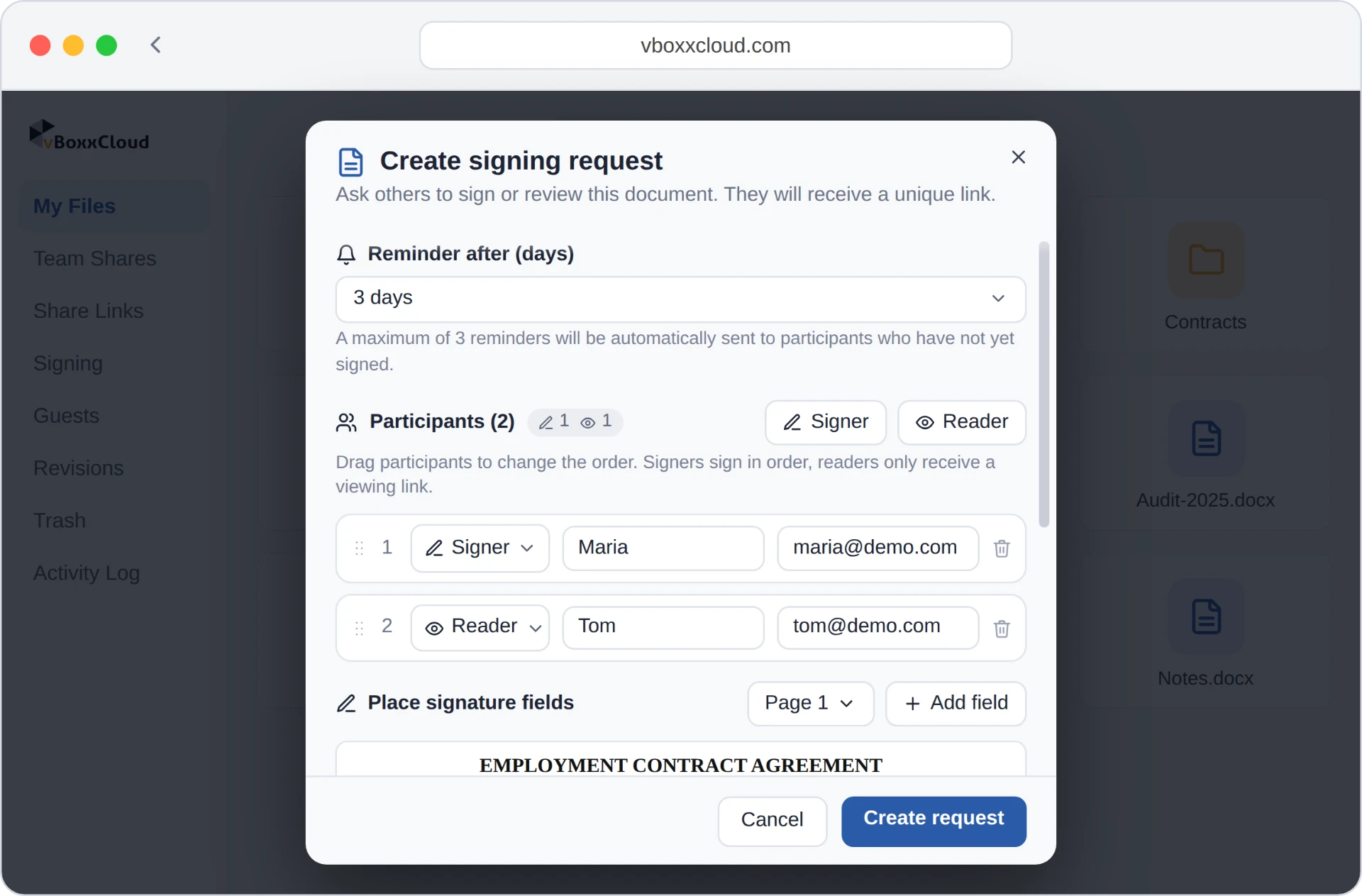
Sign PDFs in line with eIDAS, with multiple signers and a complete audit trail.
Explore eIDAS-compliant signing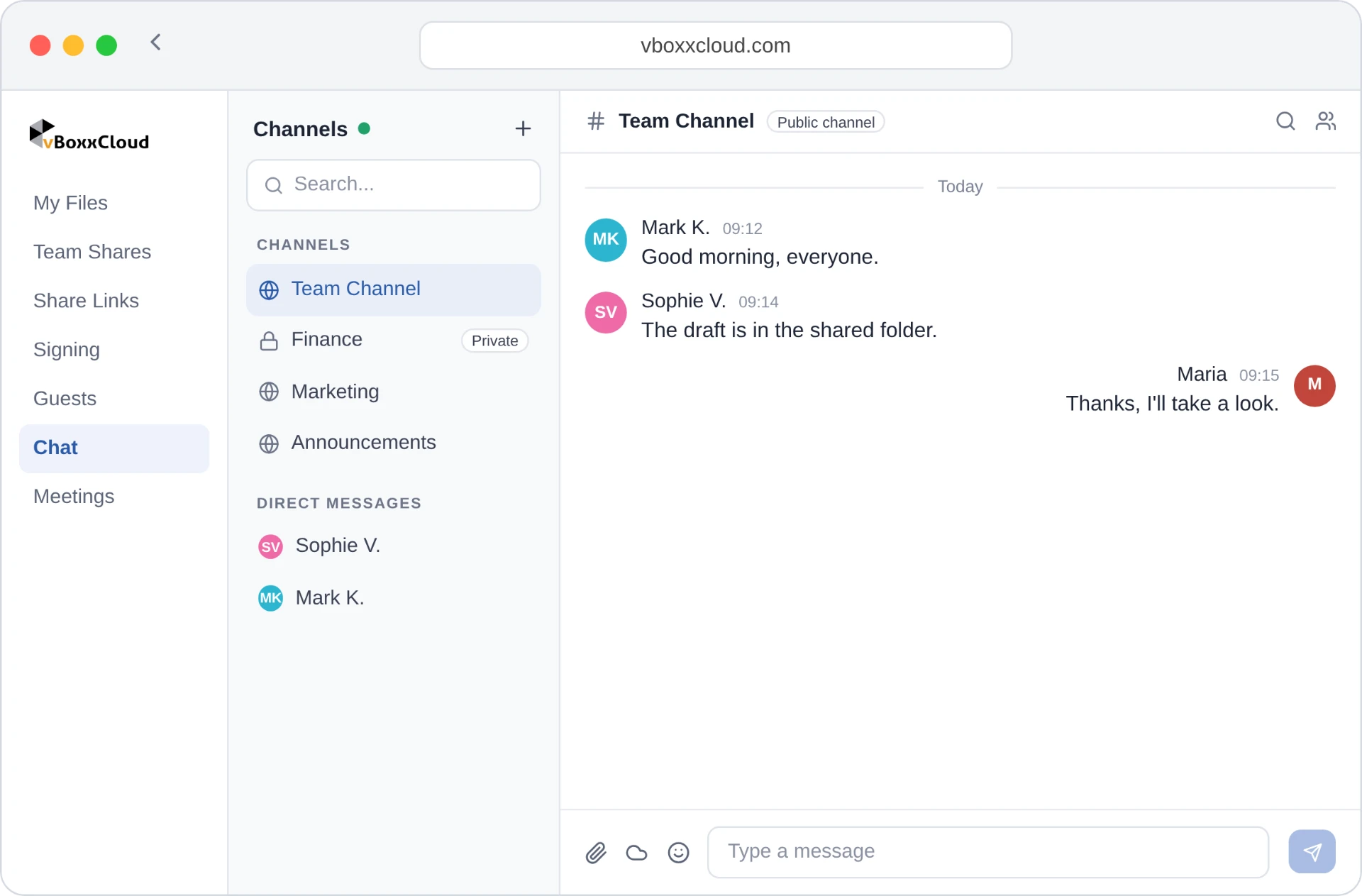
Channels and direct messages next to your files. Share files and start a video meeting from the chat.
Explore team chatEuropean video meetings with screen sharing, recordings saved to your cloud folder and an optional transcript.
Explore video meetingsEncryption at rest and in transit, two-step authentication and ISO 27001 certification. For extra-sensitive files, Cryptomator vaults encrypt data on your device before upload.
Files are encrypted on your device before they reach the cloud. Only you hold the key.
Find information faster with full-text search and the Alan AI assistant.
Ask questions about your files, summarise documents, folders and emails, and let AI suggest tags to keep everything organised.
Search inside your files, emails, notes and tags, including scanned documents and images with OCR, and see the matching phrase highlighted.
Label files with colour-coded tags and see at a glance which ones you use most.
Edit documents together in real time, see who is working where, and discuss changes in comments.
Explore the other features in vBoxxCloud, grouped like the Product menu.
Each feature has its own page with an interactive demo you can try right in your browser.